The Social Web

Have you ever wished you could sit around and make videos that explode and go viral? I’m sure everyone has at some point. The concept behind “going viral” is the idea of having an image, video, or piece of information circulate rapidly across internet platforms while obtaining a high number of views and likes from internet users. Well if you think that just anyone can create content that goes viral, you are sadly mistaken. There are hundreds of hours of content uploaded to the internet daily, and only a tiny amount exceeds 1 million views and go viral. Today, I am going to give a quick insight on a few aspects that can makes users and content go viral. So, pay attention if going viral has always been your dream.

Image result for going viral
Image of a like, comment, and share button. Image obtained from lifewire.com.

It has been noted that the majority of viral videos follow the same basic approach. First, most viral content dwells on positive issues or topics while evoking a strong emotional response from internet users (happiness, sadness, and fear). Finally, most of the viral content portray as practical and useful to users and audience members. If you want a better chance of making it viral, I would make sure your content is always relatable and useful to your audience.

For any further information regarding going viral, please watch the video, Why Videos Go Viral.

Now, let’s swap topics and discuss how the field of communication contributes to our understanding of virality. This field helps us understand virality at a deeper level than most people because we study and dig deep into the social web, the news, and the tactics that are involved across the internet. Communication majors’ study what makes videos go viral and how certain videos succeed and some fail. Being able to understand what all goes into the web and videos posted across social platforms is a huge advantage. Everything that the field of communication does relates someway to the media, which constantly speaks on viral topics.

Image result for viral videos on the news
Image of a viral video being shown on a news station. Image obtained from YouTube.com.

Finally, we are going to switch up the topics one last time and discuss how an understanding of virality will help people in my future career. First off, my plan is to become a corporate attorney when I graduate college and law school. You may not think virality has anything to do with law, but after considering virality within the world of law it seems to make sense. Imagine if you win a major case and your reaction to winning goes viral across the internet and reaches over a million views. You would be the talk of the town and your business would probably skyrocket like never before. Or even imagine that a viral video was able to be used as evidence in a case you are handling. If you understand the concept of virality, you can use it to your advantage and even create free advertising for yourself or your business.

Scripting the Web

Has your Facebook or social media account ever been hacked before? Hacking has become a serious threat in the digital era will live within. It seems almost every week that a large company’s database has been breached while all their client’s information has been stolen. The sad thing about the situation is that there is not too much we can do as customers to prevent this from happening. However, today we will discuss a few techniques and settings that you can change in order to secure your privacy across the web more proficiently.

There are some very simple steps in order to make yourself more hack-proof. The simplest thing anyone can do is not reuse the same passwords for multiple websites on the web. That’s because when one service has a breach your password becomes exposed to any hackers across the internet. The second thing web users can do to become more hack-proof is to set up two-factor authentication. If a company has ever sent a text message to your phone with a code in order to login, this is an example of two-factor authentication. However, the thing about two-factor authentication is that once you set it up, your rarely use it. The final important technique is to use a password manager so you can constantly generate new passwords to use across the web.

Image result for internet hacking
Image regarding computer hacking. Image retrieved from recode.net.

For more information regarding hacking prevention tips, please read the article, Three Essential Steps to Make Yourself More Hack-Proof.

Finally, we are going to switch things up and talk about your digital footprint across the web. In the society we live in, reputations are essentially important to the vast majority of individuals. The scary part about the web is the copious amount of information that for the most part if free to view by any interested party. The only advice for keeping your digital footprint clean is to always think twice before posting anything on the internet because you never know when something may come back to bite you. Nearly any job that you apply for, there will be an individual who conducts an internet, or Google, search on you. Hopefully nothing to serious pops up or else your name may be forgotten throughout your job process. Just remember to be safe on the internet and keep the future as bright as possible for yourself! The internet can be a scary place, but if you act right then you can use it to your advantage or for a little relaxation.

Image result for digital footprint
Image depicting a digital footprint. Image retrieved from pcworld.com.

For more information regarding digital footprints, please read the article, What does your internet profile say about you?

CSS II

Do you ever wonder whether taking courses online or in-class is better for you? Every time I am applying for classes I wonder this exact question but always seem to take the in-class route because that fits my style of learning more effectively. Not to put any shame on online classes because I have taken a few online classes and really enjoyed them. Today I will discuss a Web Design Training Course that was the most useful to me. Also, I will discuss rather or not the class, CA 260, would be more beneficial taught in-class or entirely online.

There are so many websites that offer Web Design Training on the internet. On the website I was researching, the site that has proven to be the most useful for me is, W3Schools, which I have used multiple times within class. W3Schools is a very informational and informative site. It is not quite as vibrant as other sites, but it serves the same purpose while providing a very accessible website for all users. For beginning users, W3Schools offers some of the most basic exercises and lessons in HTML and CSS.

The awesome thing about this site is that you can progress at your own speed, if you are a beginning user then you can start with simple exercises, but if you are a experienced user then you can start wherever you please. W3Schools even lets you play with markup live on your site so you can see what effect the tiniest of changes can do to your website and its appearance. Since I am a beginning user, W3Schools is the perfect site for me because of how straight-forward and user-friendly the website is.

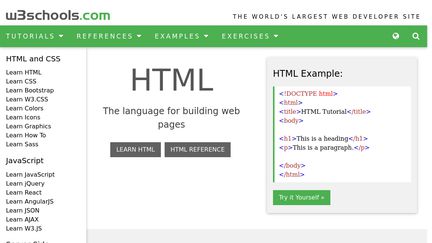
Image result for w3schools
Image of W3Schools’ website home page. Image retrieved from sitejabber.com.

For more information regarding Website Design Training, please visit, Web design training: the top 22 online resources.

Now we will move onto the topic of whether CA 260 should be taught in-class, or entirely online. This is a very simple topic for me because I do not think any class, especially CA 260, completely online or offered as a MOOC because for beginning HTML and CSS users like myself, I need an instructor. Courses that are only offered completely online can be a huge disadvantage to a niche of students who only seem to succeed in classes that are taught in a classroom with a professor, like myself. I do not think I would have learned hardly anything if this class was taught online because I would just memorize the information for assignments or exams then completely disregard it after the class was over. That is the mindset a lot of students have regarding online classes. It offers students an easy way out sometimes because the possibility to cheat is endless, and that is what hurts many students when they get to higher level classes expected to know the information from previous classes that they took online. I truly enjoy going to my CA 260 class and would not change a single thing about how it is offered!

Image result for mooc
Image of the MOOC logo. Image retrieved from yourtrainingedge.com.

For more information regarding MOOC courses and online learning, please visit the website, What Are MOOCs Good For?

CSS 1

Have you ever wondered what type of content management system is best for you or your company? Today we are going to review some of the key differences between the main types of content management systems. Content management systems are used by nearly all large (and small) websites to make adding and uploading content easier.

For more information about content management systems please watch the video, ‘What is a Content Management System?

There are three main CMSes that we will talk about today. They are Joomla, Drupal, and WordPress. Each has its own advantages and disadvantages compared to the others. We will go a little further in detail today discussing the positives and negatives of each CMS.

The first CMS we will be discussing today is Drupal. Redarding installation time and complexity, Drupal is considered the most complex of them all to use and install, but that’s simply not true anymore. Drupal has evolved and made many significant upgrades that has made the process quite simple now. Next, regarding theme availability, Drupal’s official website lists 1,223 themes and 14,369 modules which are available for free download. Now, we will quickly touch on Drupal’s ease of use. Drupal provides some very important features and in a very simple and basic user interface, making the website easily accessible to all. Finally, we will talk about Drupal’s customization and upgrades. This topic is a major setback for Drupal, because all their upgrades and customization require manual installation.

Related image
Image of the Drupal logo. Image provided from groups.drupal.org.

Now we will discuss the second CMS, Joomla. We will start off discussing Joomla’s installation time and complexity. Joomal’s installation process is very similar to Drupal’s other than a few extra security features they provide. Joomla’s official website lists around 7,437 plugins but list no information regarding themes. I consider this to be Joomla’s biggest setback. To discuss their ease of use, Joomla’s website is more fine-tuned and complex than Drupal. Their site provides more options and headings, both vertically and horizontally. Finally, Joomla’s upgrading process. Joomla provides their users to update their files within the site for most circumstances. However, sometimes updates require manual installation, but not as often as Drupal.

Image result for joomla logo
Image of the Joomla logo. Image provided from johnrampton.com.

Our last CMS being discussed today will be WordPress. Starting off with WordPress’ installation which is considered to be the simplest system, requiring only a two-stage installation process. Regarding theme availability, WordPress wins this competition hands down, offering 2,176 themes and 28, 593 plugins. WordPress lives up to their name of being simple and easy to use. Their interface is minimal and uses easy to understand language which makes a difference, especially to beginning users. Finally, WordPress also supports online updates within the website just like Joomla. Unlike Joomla, WordPress provides online file editing and customization.

Image result for wordpress logo
Image of the WordPress logo. Image provided from wordpress.org.

In summary, if I had to recommend one of the three CMSes discussed today to a friend or business, I would recommend WordPress. The thing that sticks out the most to me about WordPress is the ease of use and accessibility. No matter if you are a technical expert of a beginning user, WordPress does a great job satisfying users. WordPress if the way to go!

For more information regarding the three CMSes discussed today, please visit the page, ‘3 open source content management systems compared.’

Audio & Video

Do you ever struggle with emails or properly functioning your email account? Today we are going to discuss ho you can set up filters in your account. Filters can help you manage and organize your incoming mail. Your account will automatically label, archive, delete, star, or even automatically forward incoming mail with filters.

The process for setting up filters within your Gmail account was very simple for me. The first step is to open your gmail account. You will then need to click on the downward arrow found in the search bar at the top of your account. Next, you will enter your search criteria, if you want to check that your search worked correctly, see what emails show up by clicking ‘Search.’ After this, at the bottom of the search window, you will click ‘Create Filter.’ You will then be presented with many options where you will decide what you’d like the filter to do. Finally, you will click ‘Create Filter’ one more time and the filter will be applied to your account.

Image result for gmail logo
Visual representation of the Gmail icon. Image from http://www.v3.co.uk.

For more information regarding email filters, please visit the Gmail Help website.

We are going to switch the topic now and discuss a few tips to keep in mind when writing emails.

Writing a proper email can be as simple or difficult as you make it. They are not intended to be essay length but more focused on quickly getting to the point. You always want to stick away from adding clutter to your emails because it will save the recipient time and typically ensure a speedier response.

Image result for email etiquette
Colorful image of email etiquette. Image from lynnjardinico.com.

For example, imagine that you will have to leave next week’s class early and you want to contact your instructor and let them know in advance. How would you go about forming that email?

Good evening Ms. Johnson,

I just wanted to inform you that I will be needing to leave class early next week due to an event I am attending. I just wanted to clarify and make sure that would be okay with you?

Sincerely,

Hal Coker

In my opinion, you only needed 2-3 sentences to get your point across while staying in a professional, caring tone. Last tip to offer, always stay in a positive tone because no one likes to respond to a rude email.

For a more in depth overview concerning email etiquette, please read ‘How to Write Clear and Professional Emails.’

Web Graphics

Do you ever struggle with editing images or not being able to find a picture editing website that satisfies your needs? Recently I have come across one of the most diverse and optimizing photo editing websites, Pixlr. Pixlr provides you with everything you need for photo editing, without requiring complex design installation software. Today we are going to dive into a quick but informational review of Pixlr.

Image result for pixlr home page
Image of Pixlr’s website home page. Image from clairecreative.com.

As a beginner to the Pixlr website, you will find that the website is very friendly, accessible, and comforting to optimize your experience. When starting your editing process, Pixlr provides users four main editing options. They are Pixlr X, Pixlr Pro, Pixlr Editor, and Pixlr Express. After making your selection and beginning your process, you will select what type of image you will be editing.

In Pixlr, you once again have four main options for the type of photo you are desiring to edit. First, you can select the ‘Browse’ option which encompasses that you will be editing a personal image or one that is saved to your technological device. Second, you can select the ‘Open URL’ option which gives you the ability to search the web for an image and bring it into Pixlr to edit. Third, you can result to the ‘Webcam’ option which allows you to take your own picture on the device you are using and uploading it to Pixlr to begin editing. Finally, you are given the ‘Collage’ option where you can select multiple images to bring into Pixlr and create a fascinating piece of art!

Image result for pixlr collage photos
Example of Pixlr’s ‘Collage’ editing option. Image from pixlr.com.

Once selecting the type of photo you will be editing, you will be approached with an abundant of editing tools that you can play around with until your photo is exactly how you pictured it. The main tools include adjustment, effect, overlay, border, stickers, and text. Under each main category, you will have the ability to apply many editing tools to your photo. Especially for beginning photo editors, Pixlr will satisfy all your editing needs while providing an enjoyable experience during the process.

If you have any further questions regarding Pixlr, please visit the Pixlr Blog for more information.

HTML 2 Blog

Have you ever wondered how to organize your own website? Well, today I am going to hopefully give a few helpful tips to keep in mind if you are ever creating your own website. I will be mentioning a few positive techniques that you should incorporate into your website. As well as, a few negative techniques that you should stray away from when creating your site.

First, you will set up your website on a website creating site, like Weebly or Wix, and create your account and choosing the website theme that fits your desires. Your first real step after initially setting up your site will be choosing the page layouts for each of your website pages. You can choose exactly what layout you would like and place each page in the order you desire. You can also easily delete and add pages to your website with the touch of a button.

For other concerns regarding website page layouts, watch the video, How to Add and Organize Pages in Weebly.

After organizing your website pages, you can then determine how exactly you want your content to be organized. For example, if your website offers multiple services then it is best to create separate pages for each service. Listing all of your services on one page can be an amateur mistake and end up being very costly to your site. The home page of your website should clearly tell the story and provide all the information your audience needs to know your websites overall purpose.

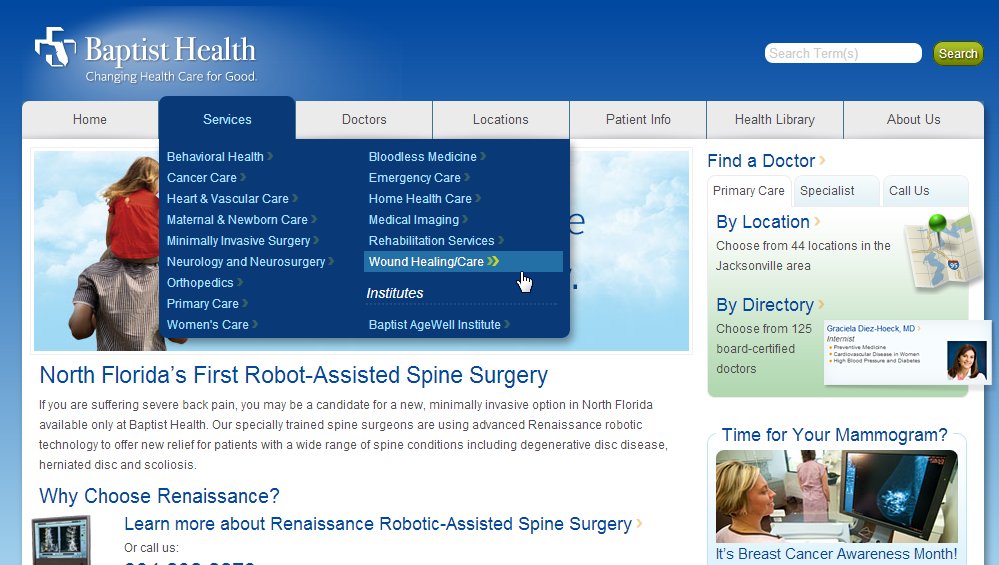
Image result for website home page drop down menus
Properly organized website drop-down menus. Image from www.nngroup.com.

To further explain the last paragraph, piling all of your content into one page can be very detrimental to your site and viewers. For example, not all of your website’s viewers will enter your site through the home page. Therefore, they miss the majority of information on your site and end up leaving the site in general. If your site can solve many problems for your users or offer many services then you need multiple pages. Divide your content up and make your site as accessible as possible. Especially for beginning websites, the simpler the better. Organization is key to a successful website.

non standard navigation
Improper location bar for a website homepage. Image from neilpatel.com.

For more information regarding website organization, read the article, Organizing Website Content.

HTML l Blog

Hello again, I hope everyone is having a fantastic Friday! Do you think creating a website is an easy thing to do? Well, today we are going to discuss website platforms that make setting up your site much more manageable and easier to do.

Weebly is a company that helps users set up their own websites, blogs, or online shops with a wide variety of tools and themes. With over 100 themes to choose from, Weebly gives each user the freedom to choose the theme that works best for them. Weebly makes it very easy for anyone to use, even people who aren’t tech-savvy, like myself. Weebly’s site creator is very helpful, with elements for text, images, and almost everything else, they make building your site a breeze. Even when you are finished with your site and ready to publish, Weebly makes sure your site works successfully on both desktops and mobile devices.

For any other concerns, please watch the video, Welcome to Weebly.

Moving on, I am a beginning user to the Weebly website and so far, have really enjoyed my experience. I choose Weebly, over other platforms, like Wix, because Weebly gives your site a professional framework that you can easily edit and make your own. Wix, and other sites, let your imagination run a little more freely when designing your website, instead of giving you a starting layout that you can build of off. Personally, if you are not a professional, Weebly is the way to go.

Image result for weebly and wix
Weebly and Wix logos. Image from websitetooltester,com.

Setting up my Weebly account was quite an interesting process. However, I have not made it far into the process other than creating my account and selecting a theme for my site. Setting up your account is a simple three step process. To create your account, all the information for need is your full name, a working email address, and a password for your account. Once you have created an account, you will be asked to create a website or an online shop, this is a personal preference. After this step, you will be offered with a wide variety of themes to choose from for your site. Finally, once you have selected your theme, you will then be able to begin editing and personalizing your site. As for me, that is as far as I have made it in my journey.

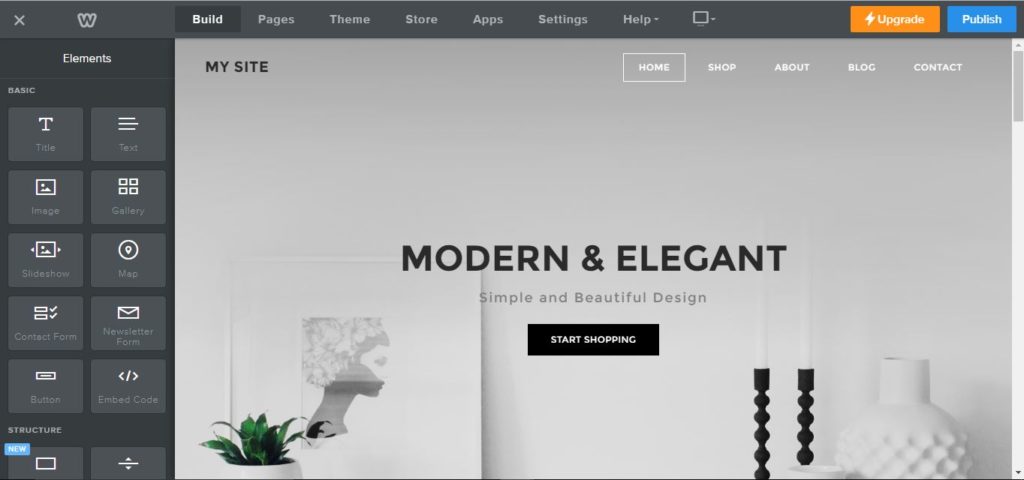
Image result for weebly site builder
Weebly’s site creator. Image from makeawebsitehub.com.

For my website, I choose the Unite 2 theme. I choose this theme because it has a professional look and the layout for the site looks ideal for the website I am creating. However, I dug into the theme a little more after class and I am not sure if I will be sticking with this theme for the project. The home page would work great for my website, but the additional pages on the theme may not fit the image I am trying to create. I need my pages to be structured, almost block-like, to make my information and website flow and easy to use.

Web Design II Blog

What intrigues an audience to read your blog? Maybe it is the emotional connection you provide with your audience or even the comforting feeling of your site portrays. Today we are going to talk about some of the positive aspects to apply to blog post and some of the negative aspects to stray away from in your post.

There are many techniques that you can add to your post in order to improve the quality of your blog’s site. The main goal of any blog should be too finding your focus and be yourself. Any blogger should write with a passion that appeals to his/her target audience on an emotional, intellectual aspect. When writing a blog, you should also include multiple links, images, and videos within your post. This will increase your website clicks and provide more personality and engagements to your blogs.

There are also many things that bloggers can stay away from when writing a blog. Bloggers never want to set unrealistic-goals or be negative in their writing. No one knows your capabilities better than yourself, do not try to post every day or reach streamline media in a short period of time, set reachable goals and increase your amount of work progressively over time. You also never want to be negative in your writing because it will cause your audience to lose interest in your site and lose viewers.

For any other concerns, please visit The 12 Dos and Dont’s of Writing a Blog.

For my chosen career field, becoming a corporate attorney, there are a few of the items described above that I can incorporate into my work. I always want to be myself and find passion in what I do. If I want to be successful, then I am going to have to dedicate myself to my work and appeal to my client’s needs and wants. I will always attempt to connect with my clients and be myself in whatever I may be doing in my future. If you can’t be yourself in the line of work you are in, then that is not the correct line of work for you. Also, I am always going to be positive and respectable to my clients, if I am known as having a negative attitude or presence then I will be out of a job in a very short time. I do not expect to be making millions when I start my job or attracting every case that comes through my area. I am choosing this line of work because I enjoy helping people, not to make money or become arrogant. I am going to set manageable goals and slowly build my client base and work load over time.

Image result for corporate attorneys
The agreement between business men. Pictured found at thermnagency.com

Going forward, I hope I can really start connecting more with my audience in an emotional way by providing content that each viewer can relate to in some way. I am also going to start adding more pictures and links in my blogs so my viewers can have a more memorable experience and hopefully return in the future. At the end of the day, I just want to by myself in my writings and leave a smile on the face of all my viewers when they are through reading my post.

Image result for smiling faces
Picture found at clipart-library.com

Web Design 1 Blog

What is happening to the internet in today’s society? People all around the world are beginning to create blogs to provide entertainments to selective audiences and other content creators. Well, I guess I have fell into the hypnosis of blog creating because today I will be posting my first ever blog entry.

With the media world changing so rapidly overtime it is hard to say where I may be in 10 years from now. However, my goal is to become a corporate attorney and be the head guy representing a large hospital or corporation. I believe other individuals in my future field will begin to use blogs more for either business purposes, learning experiences, or strictly entertainment. There could be a case where the defendant was a blog creator and viewing his blog could help attorneys dig deeper into the investigation. Or their could be an older, experienced attorney who creates weekly bogs about his success in the field that attorneys could benefit and learn from.

Creating blogs for the web can be very intimidating. But, I am not a tech-savy person by any means which means I should be able to create simple and user-friendly posts very easily because there is no expertise when it comes to my technological skills. In the article, Writing for the Web, it talks about the most common techniques used to create user-friendly content. The language you use, the color scheme you choose, the use of white space and active voice are all important concepts. Please read the article if you have any other concerns or want to learn more about writing for the web.

Currently I do not follow or read any blogs but I hope to soon change that. Now that I am creating my own personal blog I would love to watch some other bloggers who are successful in the field and learn from what they have to offer. Just being able to learn from them and grow my expertise in the field overtime. However, I do watch a lot of YouTube streamers like, Ninja and Timthetatman, because I really enjoy the content they produce and entertainment they provide to so many people.

Image result for ninja gaming
Fortnite gaming sensation and YouTube’s creator of the year, Tyler Belvins a.k.a. Ninja.

You might ask yourself, what is the purpose of a blog? Well, this can be a very tricky question to answer since every user has a unique view on blogs. To me, the purpose of a blog is to provide entertainment, news, audience connection, and happiness to your viewers and audience. I think the most important goal for a blog is to make people happy with your blogs purpose and post.

My name is Hal Coker, I am a sophomore at the University of Alabama and from a small remote Alabama town. I am a very outgoing and adventurous person. My favorite hobbies are hunting, fishing, and traveling. I absolutely love visiting new countries and going on mission trips around the world to do anything I can to help people who live in underprivileged countries. My favorite place to travel is to the mountains in Aspen, Colorado.

Image result for aspen colorado mountains
The beautiful sunset gazing over the mountains in Aspen, Colorado.