Hello again, I hope everyone is having a fantastic Friday! Do you think creating a website is an easy thing to do? Well, today we are going to discuss website platforms that make setting up your site much more manageable and easier to do.
Weebly is a company that helps users set up their own websites, blogs, or online shops with a wide variety of tools and themes. With over 100 themes to choose from, Weebly gives each user the freedom to choose the theme that works best for them. Weebly makes it very easy for anyone to use, even people who aren’t tech-savvy, like myself. Weebly’s site creator is very helpful, with elements for text, images, and almost everything else, they make building your site a breeze. Even when you are finished with your site and ready to publish, Weebly makes sure your site works successfully on both desktops and mobile devices.
For any other concerns, please watch the video, Welcome to Weebly.
Moving on, I am a beginning user to the Weebly website and so far, have really enjoyed my experience. I choose Weebly, over other platforms, like Wix, because Weebly gives your site a professional framework that you can easily edit and make your own. Wix, and other sites, let your imagination run a little more freely when designing your website, instead of giving you a starting layout that you can build of off. Personally, if you are not a professional, Weebly is the way to go.

Setting up my Weebly account was quite an interesting process. However, I have not made it far into the process other than creating my account and selecting a theme for my site. Setting up your account is a simple three step process. To create your account, all the information for need is your full name, a working email address, and a password for your account. Once you have created an account, you will be asked to create a website or an online shop, this is a personal preference. After this step, you will be offered with a wide variety of themes to choose from for your site. Finally, once you have selected your theme, you will then be able to begin editing and personalizing your site. As for me, that is as far as I have made it in my journey.
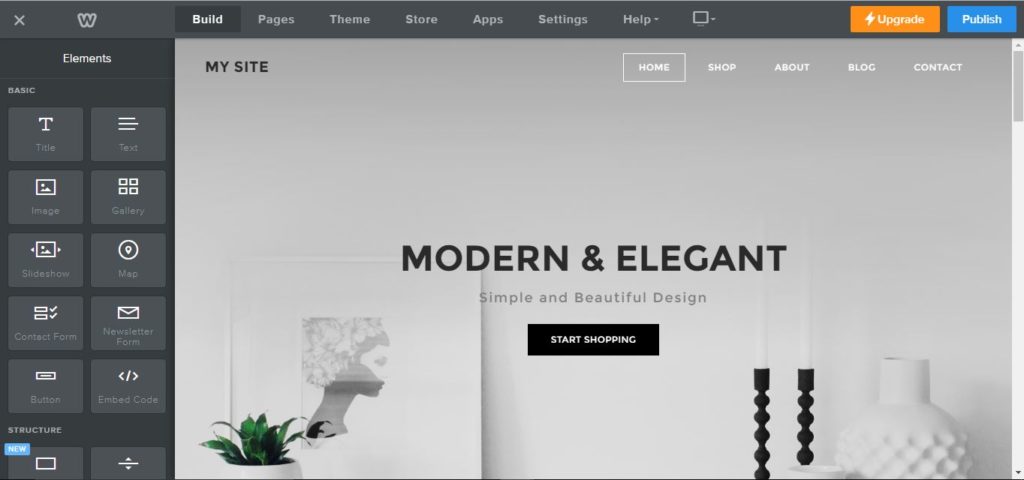
For my website, I choose the Unite 2 theme. I choose this theme because it has a professional look and the layout for the site looks ideal for the website I am creating. However, I dug into the theme a little more after class and I am not sure if I will be sticking with this theme for the project. The home page would work great for my website, but the additional pages on the theme may not fit the image I am trying to create. I need my pages to be structured, almost block-like, to make my information and website flow and easy to use.
 Mountain High